How to set up your Google Business Profile, step by step
It is free, and it makes you appear on Google and Google Maps when someone searches for what you offer. Explained without jargon, so you can have it set up today.
 By Mafer Chang
·
·
5 min read
·
Lire en français
·
Leer en español
First: is it for your business?
A Google Business Profile is for you if you serve customers in a place or in person: a shop, a premises, or if you travel to where the customer is, at their home, in your town or area.
If your business is entirely online with no in-person contact, Google does not allow the profile to be created. In that case your website and your visibility in search engines are the better place to put the effort.
The steps
- Open the tool. Search Google for “Google Business Profile” or go straight to google.com/business. Sign in with your Google account, the one behind your Gmail is fine.
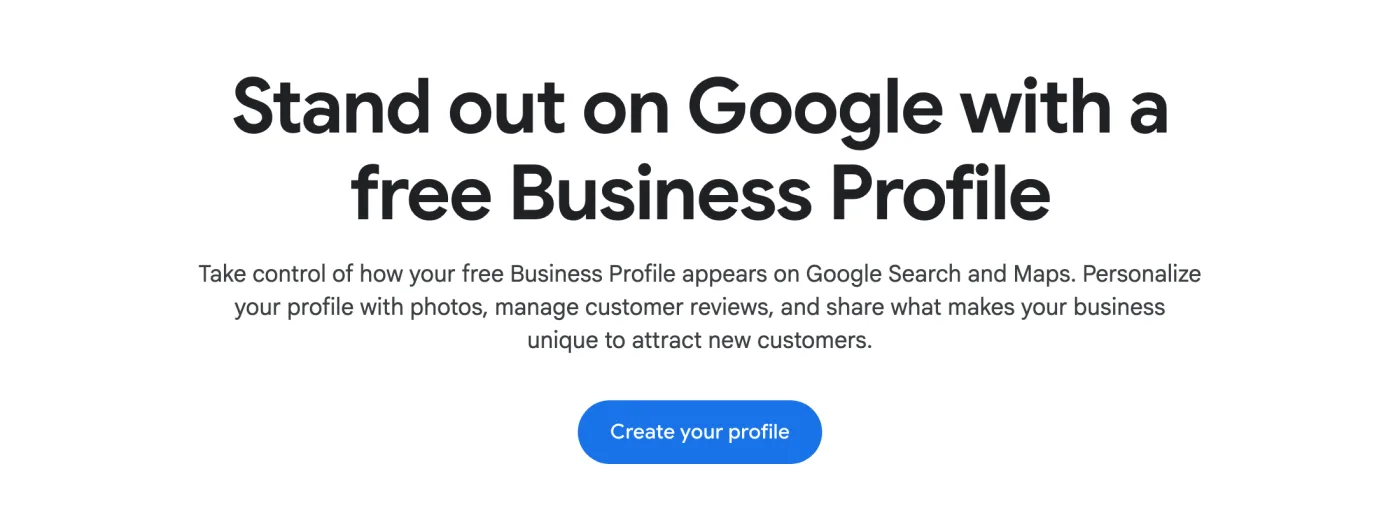
The screenshots after this one show the Spanish interface. The fields and buttons sit in the same places in English. - Enter your business name. If it already appears, select it. If it does not exist, Google lets you create it from scratch.
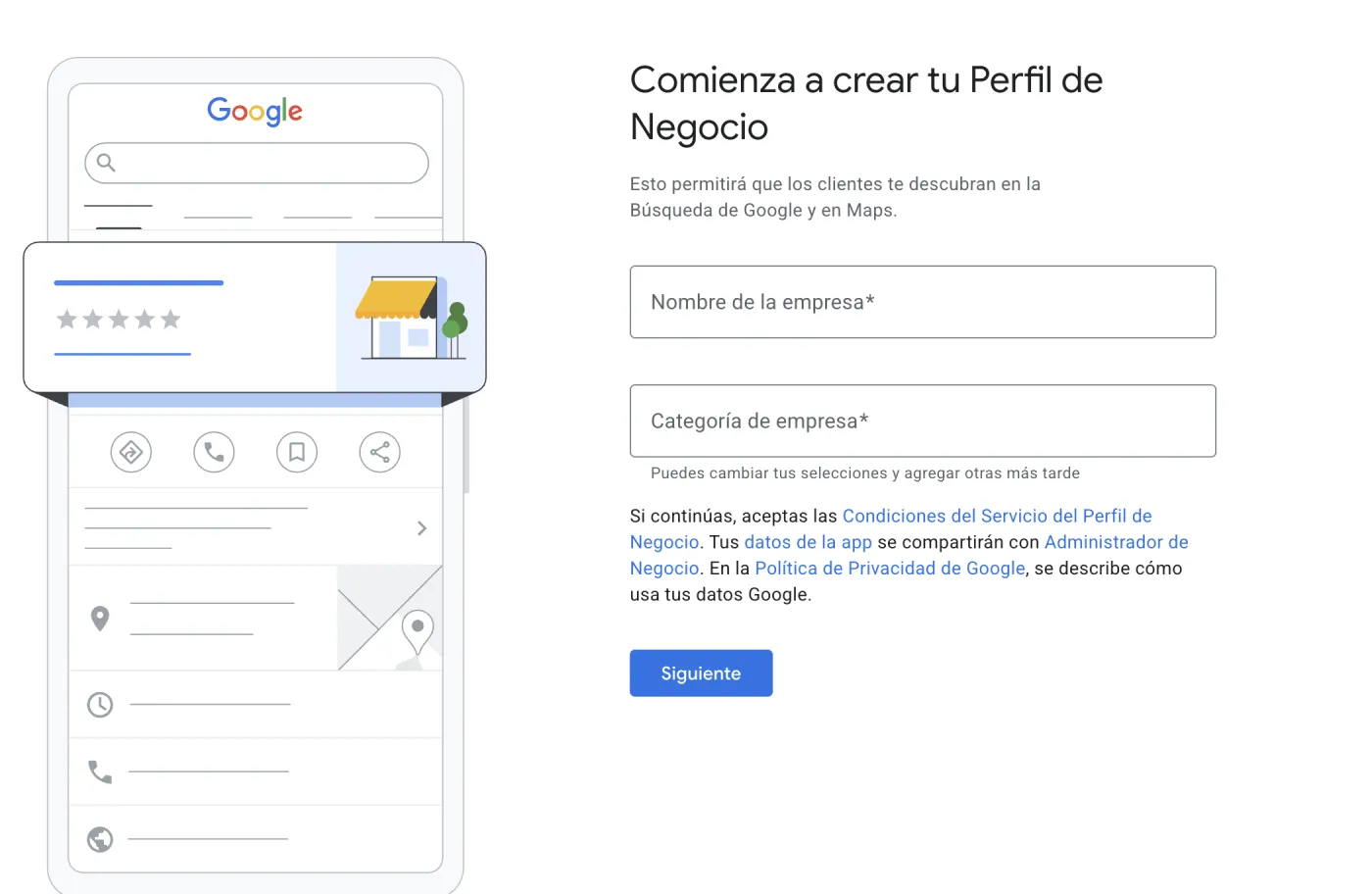
- Choose your category. The most precise one you can find, for example “bakery”, “accountant” or “hairdresser”. You can add extra categories later.
- Say where you serve customers. Do you have an address customers visit? Put it in. No premises, but you travel to them? Then you define a service area, your town or region, and your address does not have to be shown.
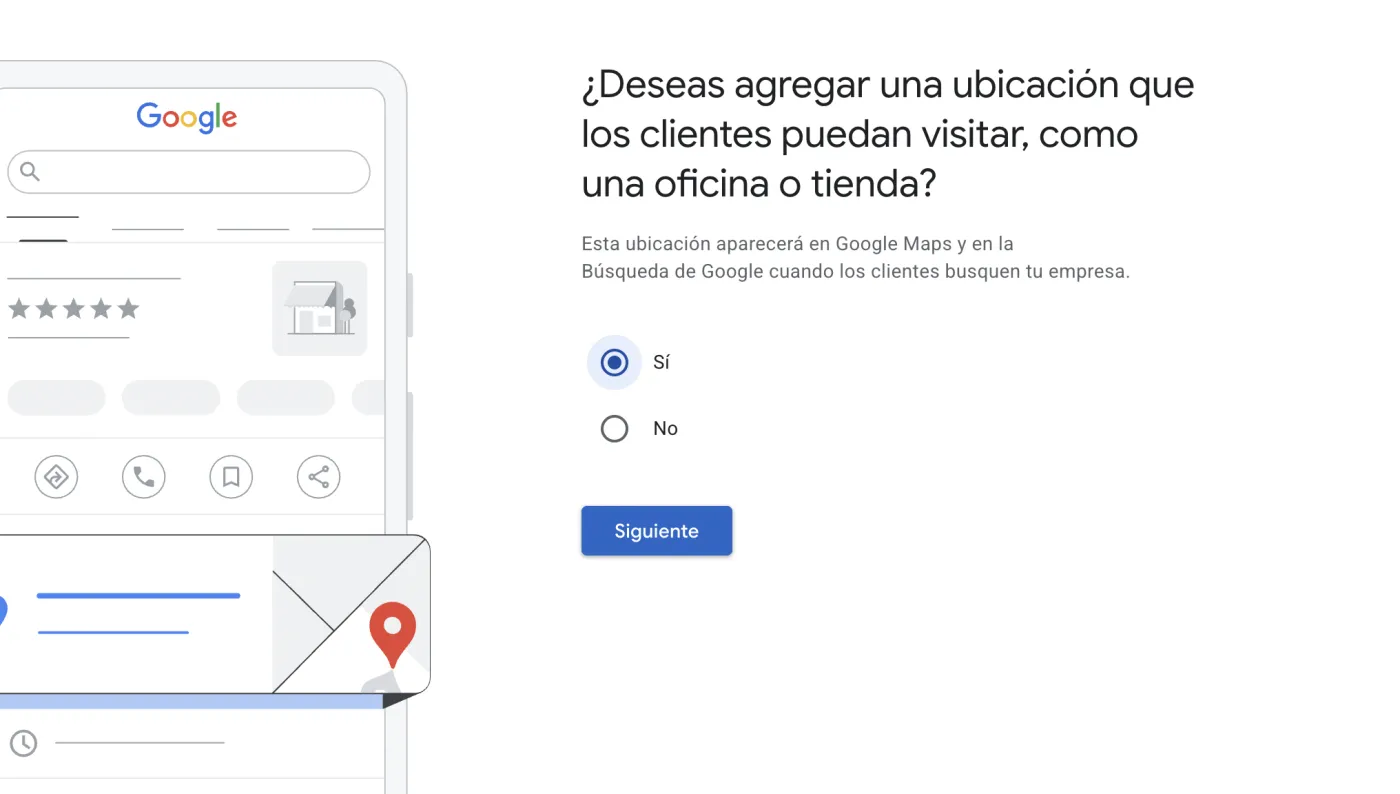
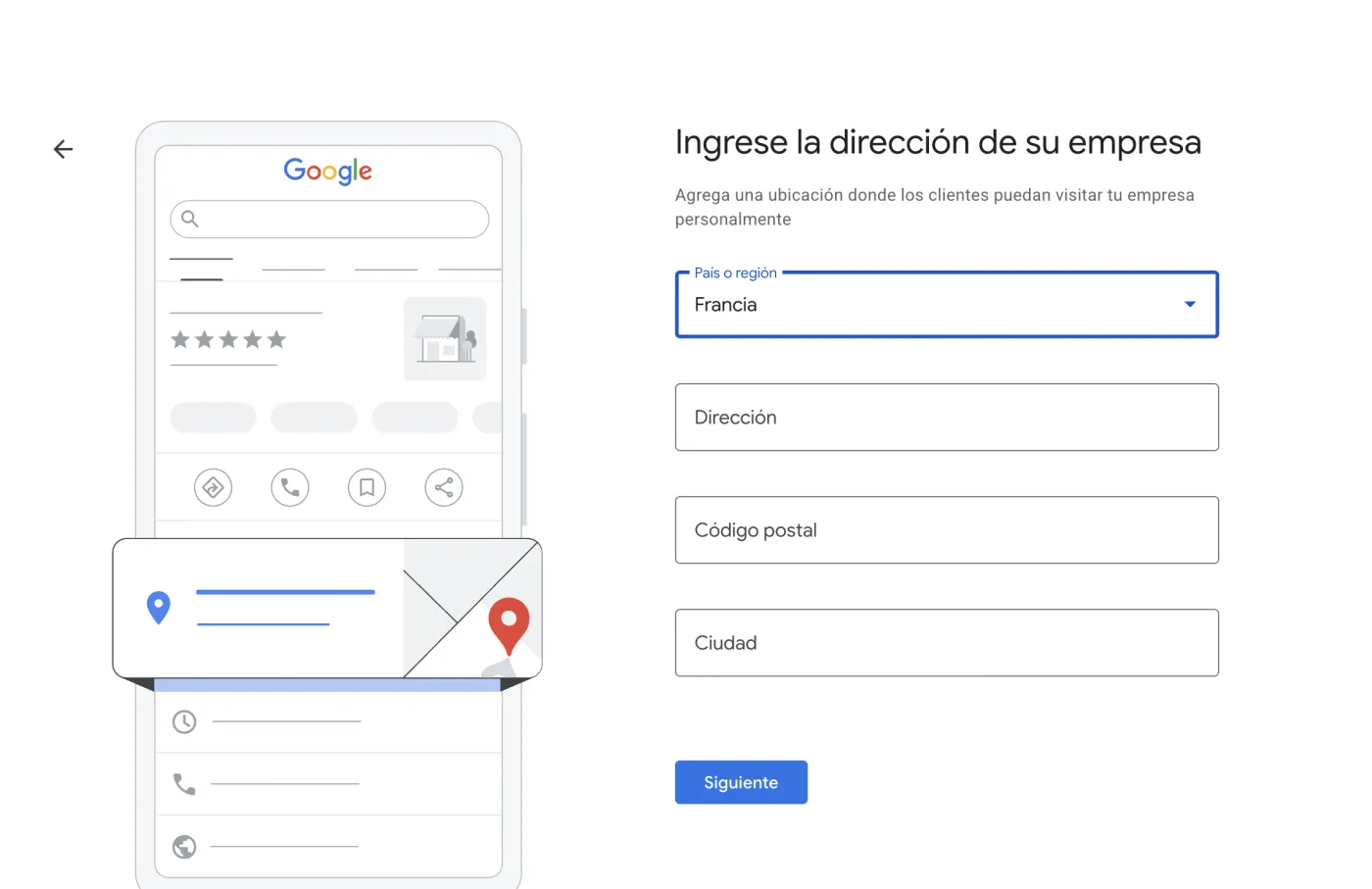
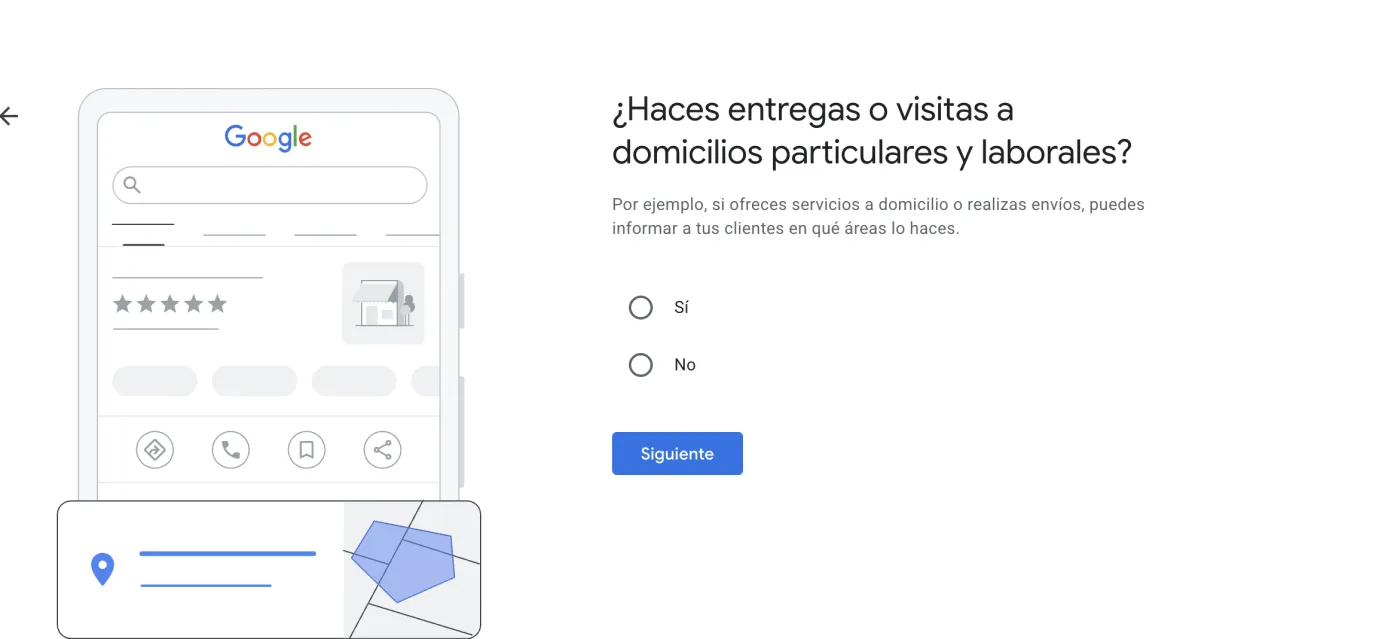
If you travel to the customer, this is where you define your service area. - Add your contact details. Phone and website. This is a good moment to link your site.
- Verify that the business is yours. This step is required for your profile to show at all. Google will ask you to confirm by phone, email, video or a postcard sent to your address. Follow whichever method it offers you.
- Complete the profile. Once verified, fill it in properly: description, opening hours, photos and links. A complete profile shows more often and inspires more confidence.
To make it actually bring you customers
- Real photos. Your logo, a photo of you and of what you sell. Real photos build more trust than stock images.
- Ask for reviews. Ask your happy customers for one. It carries the most weight both in whether Google shows you and in whether other people decide to try you.
- The same details everywhere. Name, phone and address have to be identical on your profile, your website and your social accounts. That match is what makes Google confident it is really you.
- Post now and then. The profile lets you add updates and offers. It does not take much, but a live profile performs better than an abandoned one.
In short: create it, verify it, and complete it with real photos and details that match your website. That alone starts getting you shown when people search for you, without spending a euro.
And when it is time to pay for visits
The profile is free visibility, and a good first step before paying for clicks. When the moment to advertise comes, the before you advertise series walks through the five foundations worth having first, starting with whether your offer is clear in five seconds.
And if people already find you but do not write, the problem is usually one step further along: the page they land on after the click.
Questions people ask
Is a Google Business Profile free?
Yes. Creating it, verifying it and maintaining it costs nothing, and it is what makes you appear on Google and Google Maps when someone searches for what you offer.
Can I create one if my business is online only?
If you serve customers entirely online with no in-person contact, Google does not allow the profile to be created. It is for businesses that serve customers in a place, or that travel to where the customer is. If that is your case, your website and search visibility are the better place to put the effort.
Do I have to show my address if I work from home?
No. If you have no premises that customers visit, you define a service area, your town or region, and the profile shows without displaying your address.